Private by design Your email never trains AI
Every account. One calm inbox. Finally handled.
Inboxy brings all your email into one place — sorted, prioritized and answered in your own voice, so email takes minutes, not your morning.
- Every account, one inbox
- Drafts in your voice
- Nothing sent without you

Works with every inbox you already have
- Gmail
- Google Workspace
- Outlook
- Microsoft 365
- Proton Mail self-hosted, via Bridge
- iCloud Mail
- Yahoo Mail
- Fastmail
- Any IMAP / SMTP
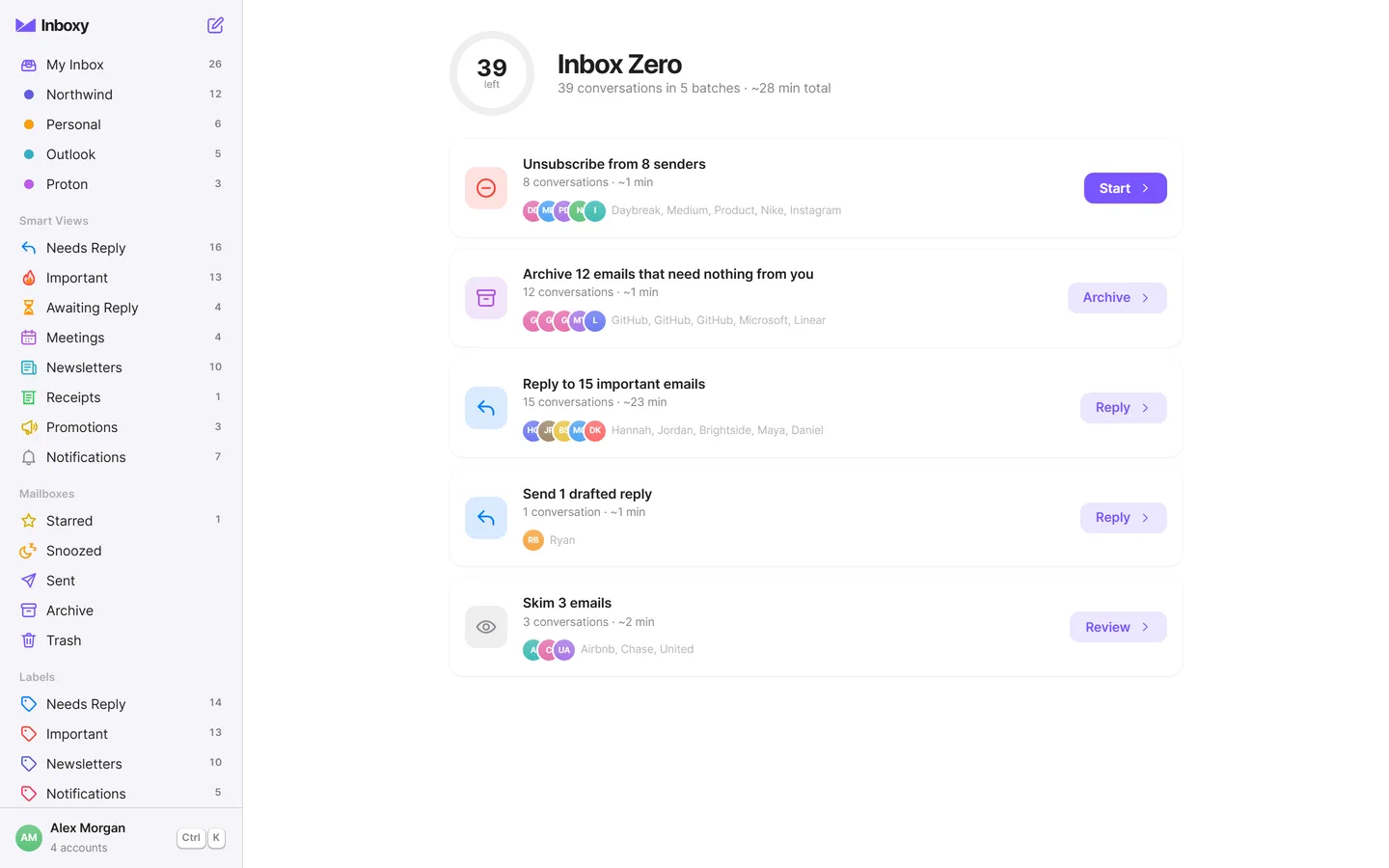
Smart labels
Never miss what matters.
Inboxy reads each email the moment it lands and sorts it into 21 categories, adds labels tuned to your work, and applies the rules you write in plain English. Then it ranks what’s left so the important things rise to the top.
- Explained, not magic. Tap “Why?” to see exactly why an email got its label.
- Your rules. “Anything from my accountant is Important” — done.
- Phishing alerts. Spoofed senders and failed authentication are flagged in plain language.
- Needs Reply
- Important
- Awaiting Reply
- Meetings
- Newsletters
- Receipts
- Promotions
- Notifications
- Customers
- Finance
- Cold Outreach
- + 10 more
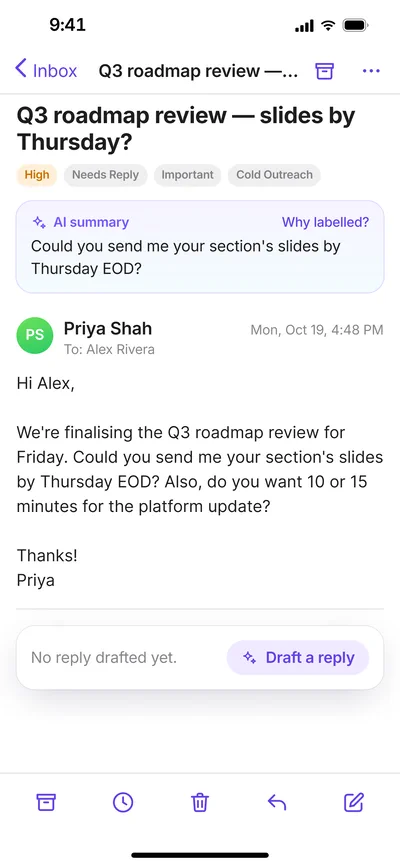
Drafts in your voice
Replies, already written — in your voice.
Every email that needs a response has a draft waiting. Inboxy learns how you write from your sent mail — your greetings, your sign-offs, how formal you are with each person — so the draft sounds like you, not a robot. Read it, tweak it, send it.
-
Needs Reply
Every email waiting on you, with the questions to answer and the deadline pulled out.
-
Awaiting Reply
Asked someone something? Inboxy keeps track and nudges you to follow up.
-
Never sent without you
Drafts are only drafts. Nothing leaves your outbox until you press send.
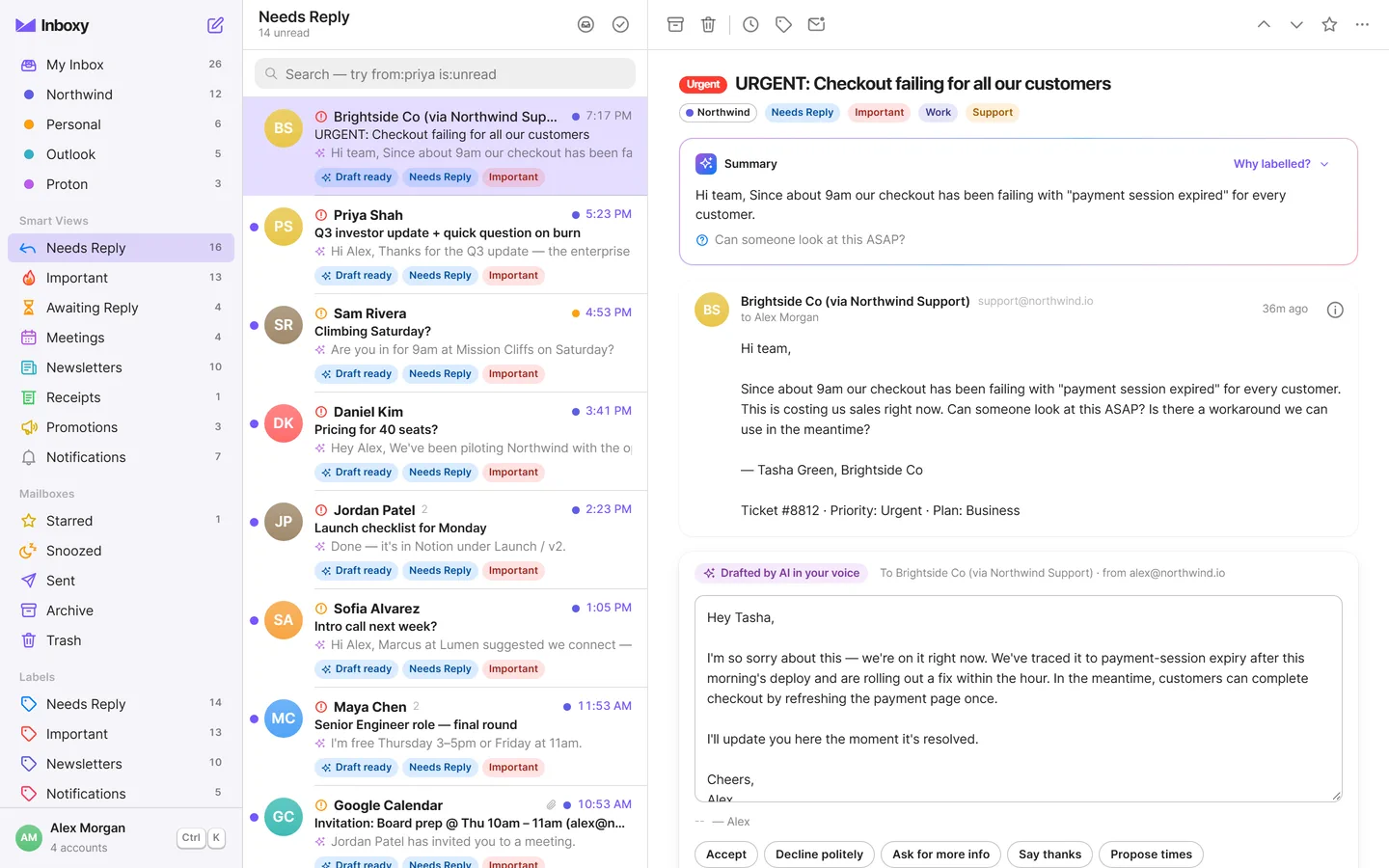
Inbox Zero mode
Inbox zero, in minutes.
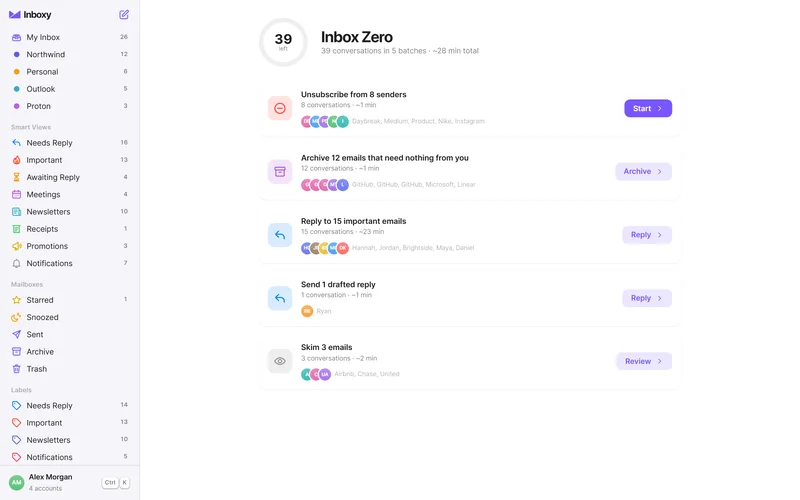
One click turns a cluttered inbox into an ordered plan with a time estimate for every step. Clear the noise first, then the replies — drafts already written — then the rest. Work through it one keystroke at a time.
- 1Unsubscribe the senders you never read
- 2Archive what needs nothing from you
- 3Reply — drafts already written
- 4Skim the rest. Then: calm.
And everything around it
Less noise. More done.
-
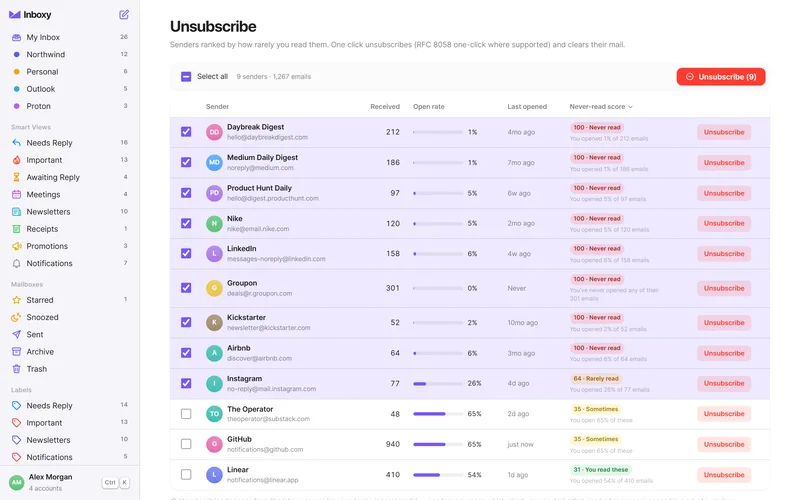
Unsubscribe from everything you never read.
Inboxy spots the senders you never open and lets you leave them all at once — using one-click unsubscribe (RFC 8058) where senders support it, so it never visits a link that could confirm your address to a spammer.
-
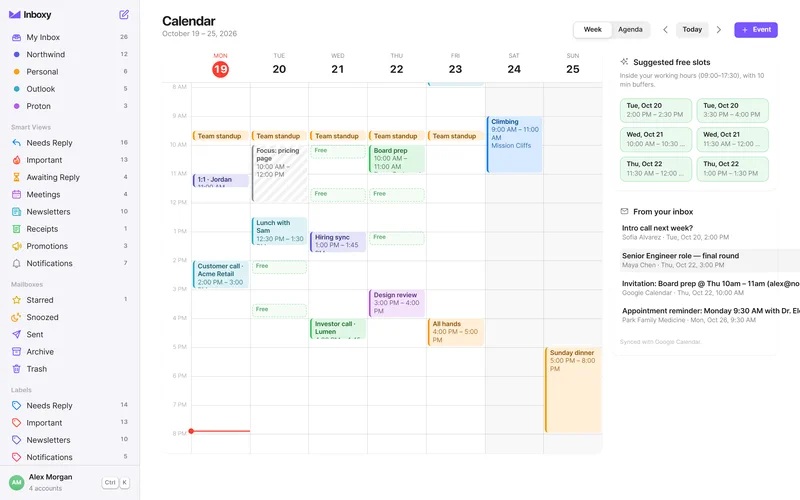
Your calendar, right inside your email.
Connect Google, Microsoft or any CalDAV calendar, including iCloud. When someone asks to meet, Inboxy finds your free slots and drops them straight into the draft.
-
The right signature, every time.
Keep several signatures per account. Inboxy picks the right one for new mail, replies, internal threads or a specific client.
-
Your face, in their inbox.
Set a profile photo once. Inboxy publishes it so other mail apps show it next to your name.
-
Light. Fast. Out of your way.
Sorting, search and your Inbox Zero plan run right on your device, so the inbox is instant. Keyboard shortcuts for everything. No bloat, no spinner, no waiting.
Every device
Take your inboxes anywhere.
Sign in on any device and everything is already there — every account, signature and rule. Nothing to re-add, nothing to set up twice.
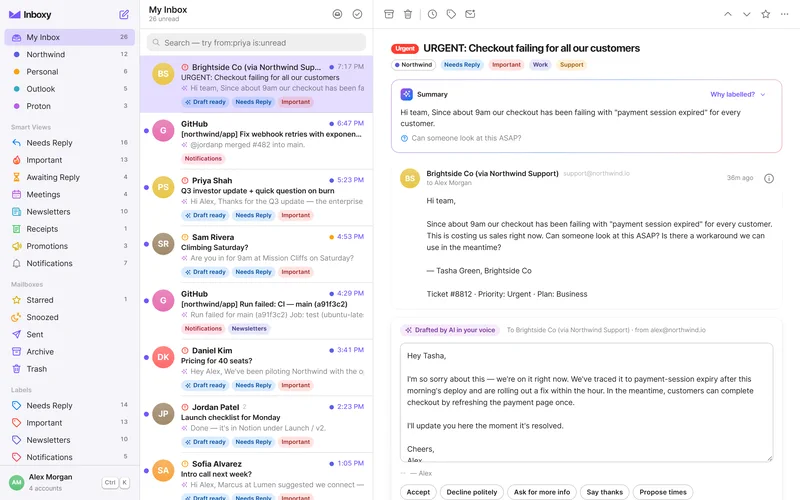
On the web
Open it in any modern browser — nothing to install. Add it to your dock or home screen and it behaves like an app.
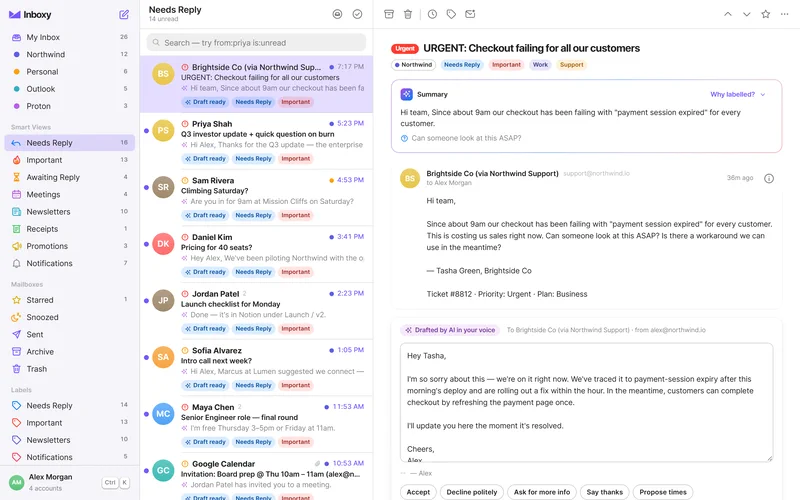
On Mac
A light native app — not a browser in disguise. It starts instantly and does everything from the keyboard.
On Windows
The same fast, focused Inboxy on your PC, with every keyboard shortcut you know from the Mac.
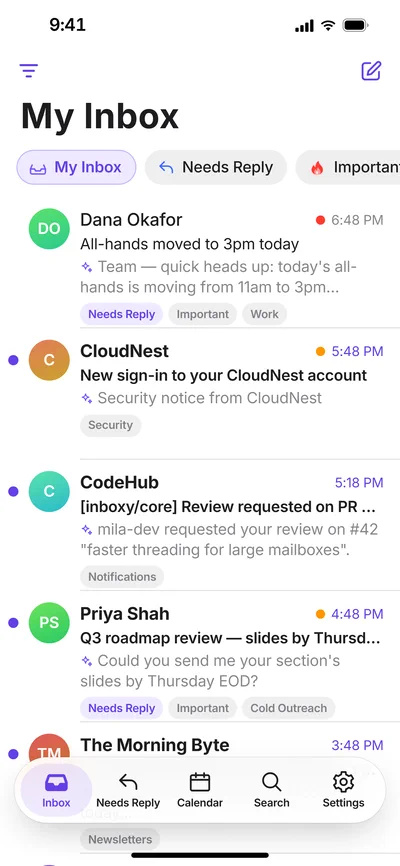
On iPhone
Swipe through your plan on the go. Drafts are ready before you even open the email.
On Android
Everything you have on your desktop, in your pocket — accounts, labels, drafts and rules included.
Inboxy APP · 8:30 AM
Good morning — 4 emails need you.
- Priya Shah · Q3 investor update — draft ready
- Daniel Kim · Pricing for 40 seats — draft ready
- Sam Rivera · Climbing Saturday? — draft ready
- Lumen · Intro call next week — 3 free slots added
Open InboxySnooze all
In Slack
Get summaries of what needs you where you already work. Summaries only — full emails stay in Inboxy.
3 need a reply, 2 meetings proposed, 41 newsletters filed.
Priya Shah is waiting on the Q3 update (due Friday). Your draft is ready.
Thanks — I’ll send it from my laptop.
In Telegram
A quiet digest in your pocket, linked to your account with a one-time code.
Pair a new device in seconds.
Scan the code or type six digits on your new phone or laptop — it signs in with everything already set up.
482913
Get Inboxy for every device.
Download the app, or open Inboxy in your browser — your accounts follow you.
Or open the web appMade for your work
Built for the way you work.
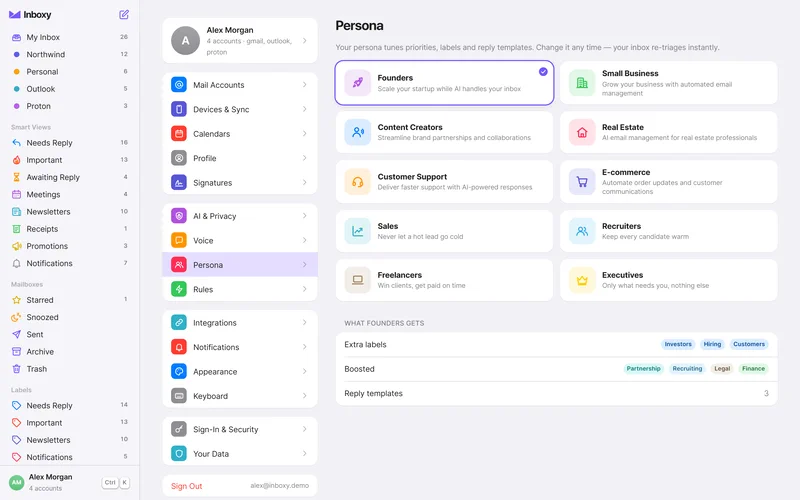
Pick what you do. Inboxy tunes its labels, priorities and drafts to match.
- FoundersScale your startup while AI handles your inbox
- Small BusinessGrow your business with automated email management
- Content CreatorsStreamline brand partnerships and collaborations
- Real EstateAI email management for real estate professionals
- Customer SupportDeliver faster support with AI-powered responses
- E-commerceAutomate order updates and customer communications
- SalesFollow up on every lead before it goes cold
- RecruitersKeep candidates moving with timely, personal replies
- FreelancersJuggle clients, invoices and projects without the chaos
- ExecutivesSee what needs you first and delegate the rest
Privacy & security
Private by design.
Your email is the most personal data you have. Inboxy is built to collect the minimum, encrypt the rest, and keep AI on a short leash.
-
Your own encrypted vault
Every user’s data lives in an isolated vault, encrypted with its own AES-256-GCM key. Never pooled with anyone else’s.
-
Redacted before AI
Email addresses, phone and card numbers, IBANs, passwords and keys are swapped for placeholders before anything reaches a cloud model.
-
On-device AI — or none
Run AI on your own computer with Ollama, or turn it off completely. Labels and drafts still work.
-
No tracking
Tracking pixels in incoming mail are blocked, so senders can’t tell when you read. This website has no analytics either.
-
Passkeys & two-factor
Sign in with a passkey or add a second factor. Session tokens are stored only as hashes and travel in secure, HttpOnly cookies.
-
Yours to take or delete
Export everything, any time. Delete your account and your vault key is destroyed, making every encrypted copy unreadable.
Which email accounts can I connect?
Gmail and Google Workspace, Outlook and Microsoft 365, Proton Mail (self-hosted Inboxy with Proton Mail Bridge), iCloud Mail, Yahoo Mail, Fastmail — and any provider that supports IMAP and SMTP. Connect as many accounts as you like; they all land in one inbox.
Does Inboxy use my email to train AI?
No. Your email is never used to train AI models — ours or anyone else’s. When cloud AI is on, personal details are redacted first, and you can switch to on-device AI or turn AI off whenever you like.
Will Inboxy ever send an email on its own?
No. Inboxy writes drafts; you decide what gets sent. Nothing leaves your outbox until you press send.
How does Proton Mail work if it’s end-to-end encrypted?
Through the official Proton Mail Bridge, which decrypts mail on your own computer. Because Bridge only accepts local connections, Proton works with self-hosted Inboxy running next to Bridge — the hosted service can’t reach it. Inboxy never sees your Proton password, only the Bridge password. More on Proton Mail
What happens when I get a new phone or laptop?
Sign in, or pair it with a code or QR from a device you’re already using. Every account, signature, rule and setting is already there — nothing to re-add.
Can I use Inboxy without any cloud AI?
Yes. Choose on-device AI with Ollama, or turn AI off. Labels, priorities, Inbox Zero plans and template drafts keep working, because the core of Inboxy runs without a language model.
What do Slack and Telegram see?
By default only short summaries — never full email bodies. You link each one with a one-time code and can disconnect it at any time.
How do I export or delete my data?
From Settings, export everything you’ve stored with Inboxy, or delete your account. Deleting destroys your vault’s encryption key and removes your data, and removing a single mail account deletes the mail synced from it.
Get your mornings back.
Connect your first account in under a minute. Free to start, private from the first email.
Already have an account? Sign in
Web · Mac · Windows · iPhone · Android · Slack · Telegram